Income & expenses
Income and expenses
A simple cash book: invoice payments appear on their own, and you add other money in and spending like material and labour.
2 min read · 2 steps
Step 1
See money in and out
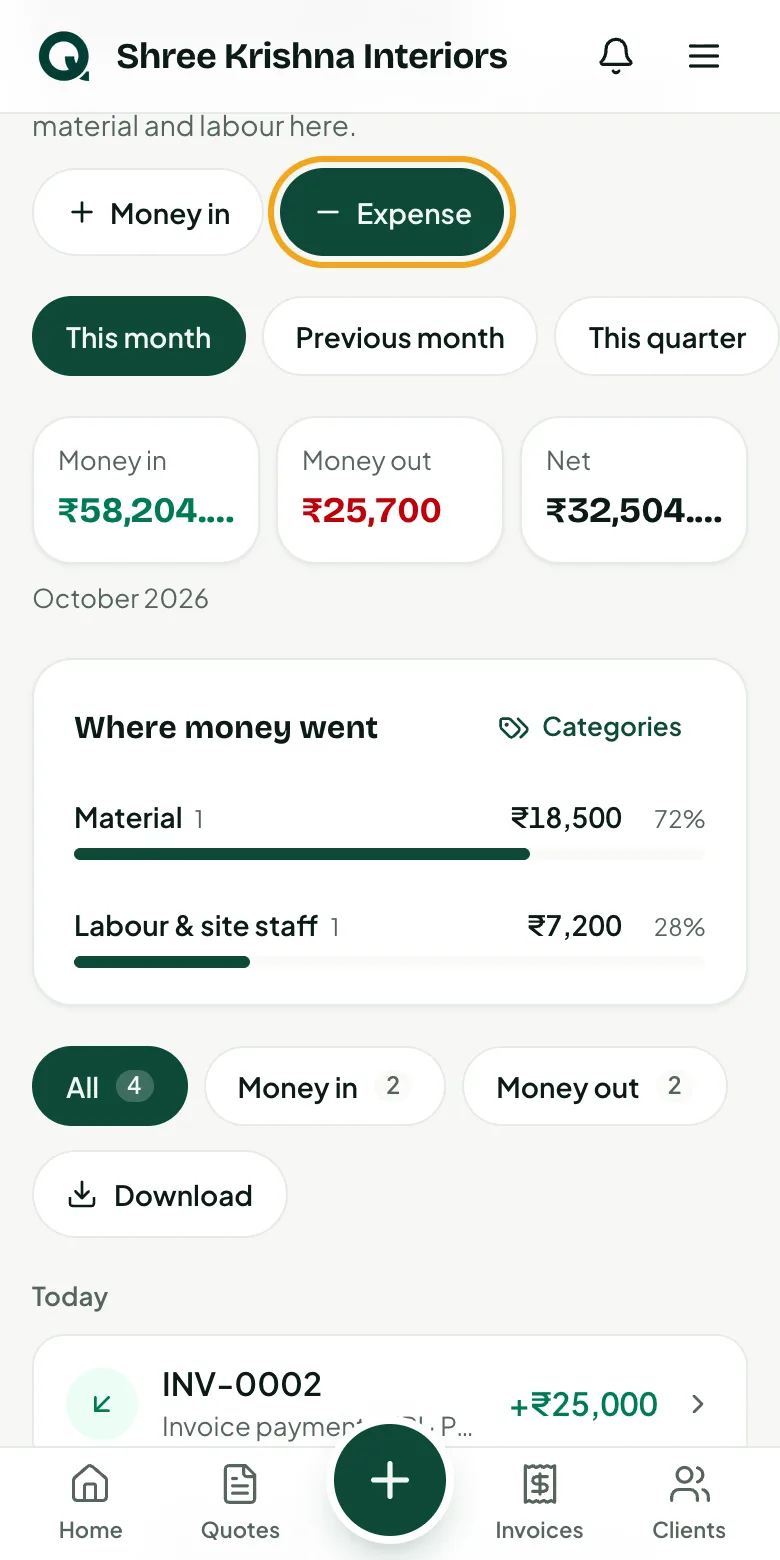
Pick a period to see money in, money out and what's left. Payments you record on invoices are already here.
- 1Open the menu, then “Income & expenses”
- 2Choose “This month”, “This quarter” or your own dates
- 3Under “Where money went”, tap a category to see only its entries
- 4“Download” gives a PDF statement or an Excel file of what you see
Step 2
Add an expense
Only the amount and what it was for are needed.
- 1Tap “Expense” (or “Money in” for other income)
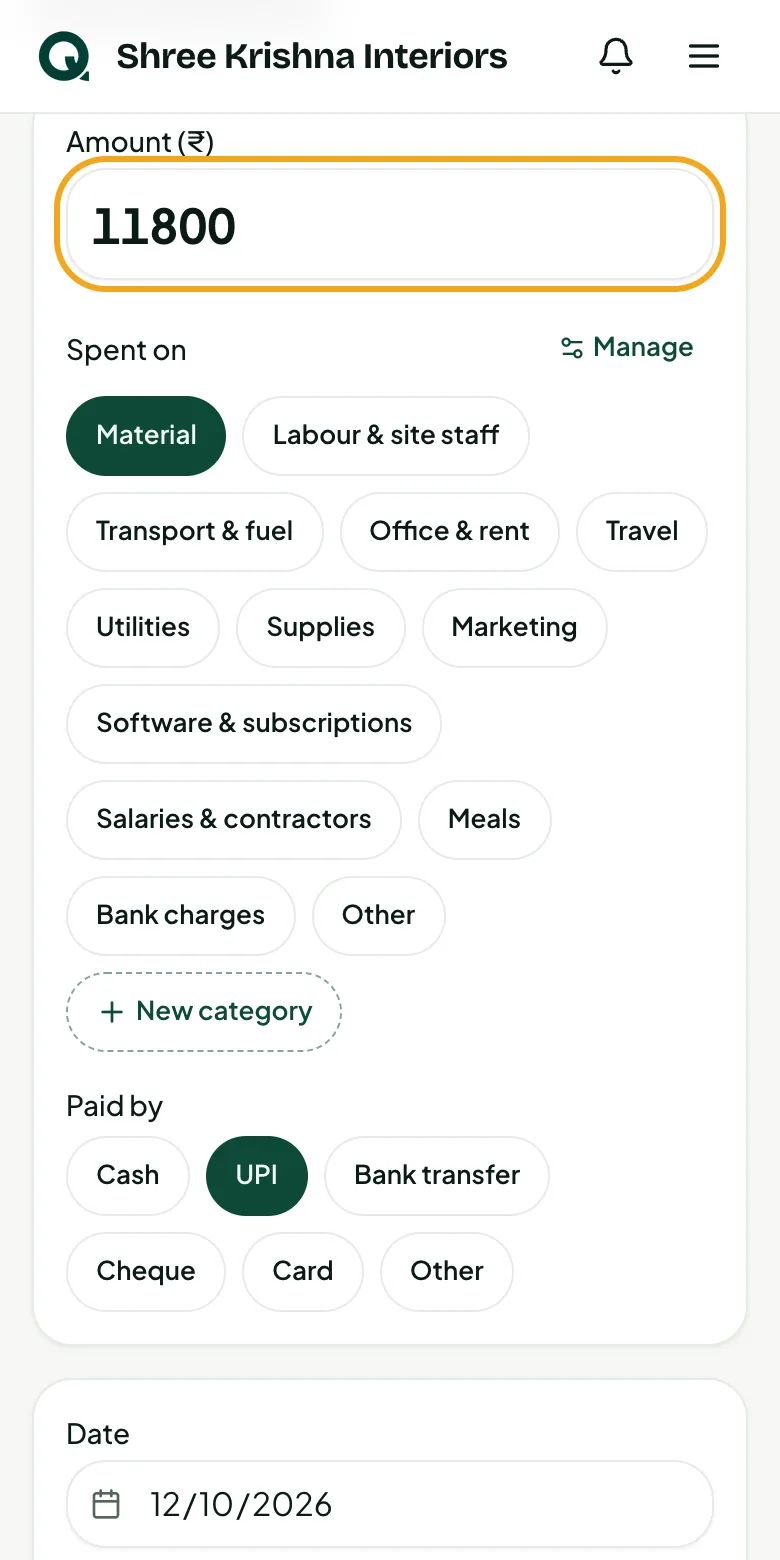
- 2Type the amount
- 3Tap a category such as “Material” or “Labour & site staff”
- 4None fits? Tap “New category” and name your own; “Manage” renames, hides or reorders them
- 5Bought it with a GST bill? Open “GST bill” and add the seller's GSTIN and the GST
- 6Tap “Add expense”
Tip: Add who you paid and the site in “What for” to find it later.
Common questions
Do I need to add invoice payments here?
No. Payments recorded on invoices show up here automatically.