Quotations
Work or delivery at another address
When the work is at a site, or goods go somewhere other than the client's address, add the site to the quotation or invoice. It prints under the client, and GST follows the site's state.
2 min read · 3 steps
Step 1
Add the site
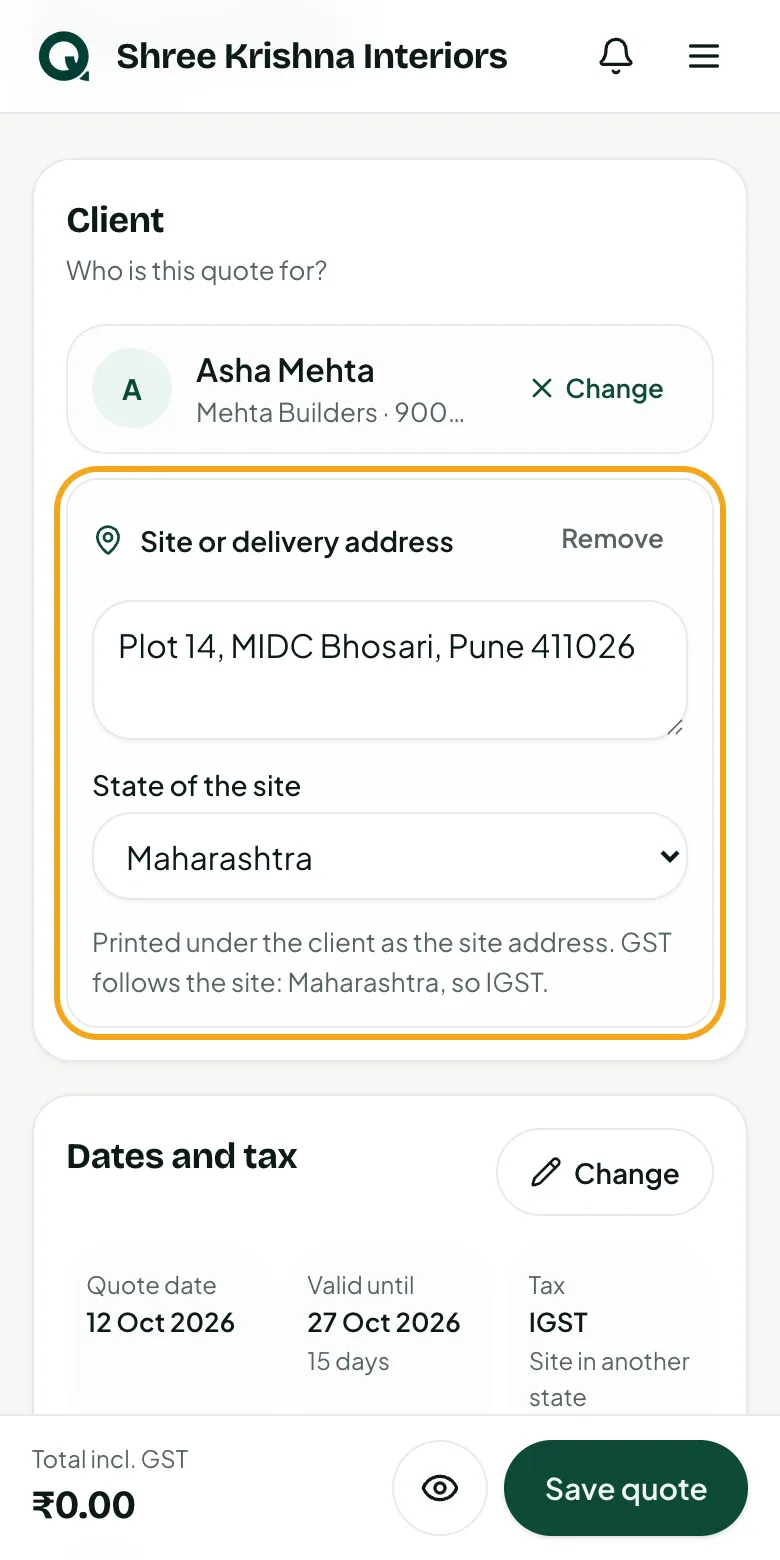
Pick the client first. Under the client, tap the link for another address, type the site and pick its state.
- 1Tap “Work or delivery at another address”
- 2Type the site or delivery address
- 3Pick the “State of the site”
Tip: A site in another state makes it IGST; a site in your state, CGST + SGST. The line under the box says which.
Step 2
See it on the document
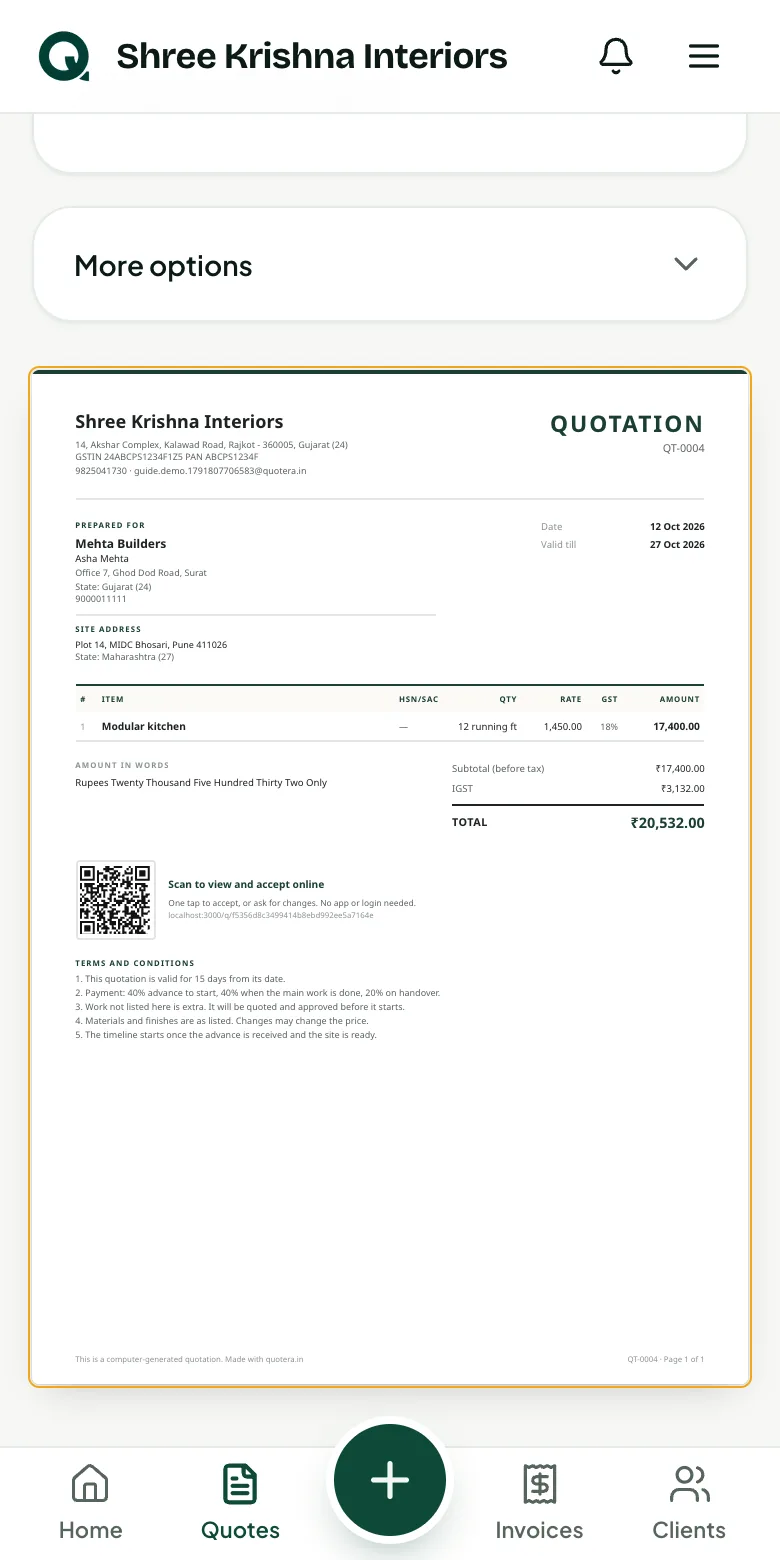
The site prints under the client on the PDF and the client's link: “Site address” on a quotation, “Site / ship to” on an invoice. The place of supply is the site's state.
- 1Save, then look at the preview
- 2Tap “PDF” to see it as the client will
Step 3
From quote to invoice
Making the invoice from the quotation keeps the site, and your GST report uses the site's state as the place of supply.
- 1Tap “Remove” on the site box to go back to the client's own address
Common questions
Do I need a site address on every quote?
No. Leave it out when the work is at the client's own address. Add it only when the site or delivery address is somewhere else.
Why did the tax change to IGST?
GST follows the place of supply: the site's state. A site outside your state is inter-state, so it's IGST.